Safaricom Patches My OneApp: Free Data Access and "Send to Bank Hakikisha" Roll Out
Safaricom is pushing forward with a major revamp of its My OneApp, the super app that's been going through a bumpy ride since its April launch. The service is still being worked on to iron out the major kinks that caused headaches for users.
The latest updates – v5.1.9 on Android and v5.1.7 on iOS - are tackling two pretty big issues: accessibility and transaction safety. The single biggest improvement though is something called zero-rated data access which should make a huge difference for the millions of people who have to be super careful about how much mobile data they use.
Zero-Rated Access: What Does It Actually Mean
Since My OneApp merged the separate M-PESA and MySafaricom platforms, running it meant constantly swapping data back and forth. For users on tight budgets, opening the app to just check their balance could feel like a annoying cost that you don't want.
The New Data Policy
-
The Rule For Connecting: You still have to have a data connection (with your phone plan or Wi-Fi) to actually open and log in to the app - the same way you do with any other app.
-
Zero-Rated Benefit: Once it's up and running on your screen though, using the app and making transactions will no longer count against your data allowance.
The new features are built on top of a patch that fixed one of the app's worst bugs, which used to kick you out of the app as soon as you lost your connection to the Safaricom network. Now that the app is stable and you don't have to worry about data costs, using My OneApp feels a lot more seamless than it used to.
Safety First: Say Hello to "Send to Bank Hakikisha"
One of the most classic mobile banking headaches is accidentally sending money to the wrong mobile number or merchant. While M-PESA's had a "Hakikisha" safety net in place for direct person-to-person transfers, moving money from M-PESA to your commercial bank account was a lot more finicky.
The latest update does away with that hassle by introducing Send to Bank Hakikisha.
[ Input Bank Details ] ➔ [ NEW: Hakikisha Pop-Up Confirms Account Name ] ➔ [ Enter PIN to Approve ]
Now when you try to transfer money directly from M-PESA to your bank, the app holds up for a second to confirm the exact name of the bank account holder before you actually confirm the transaction. This simple addition eliminates the risk of accidentally sending your money to someone else - nice peace of mind.
What Else Is New in the June Update
Safaricom isn't just patching up bugs - they're also throwing in a bunch of useful new features to make My OneApp feel like a genuine go-to app for your daily needs:
-
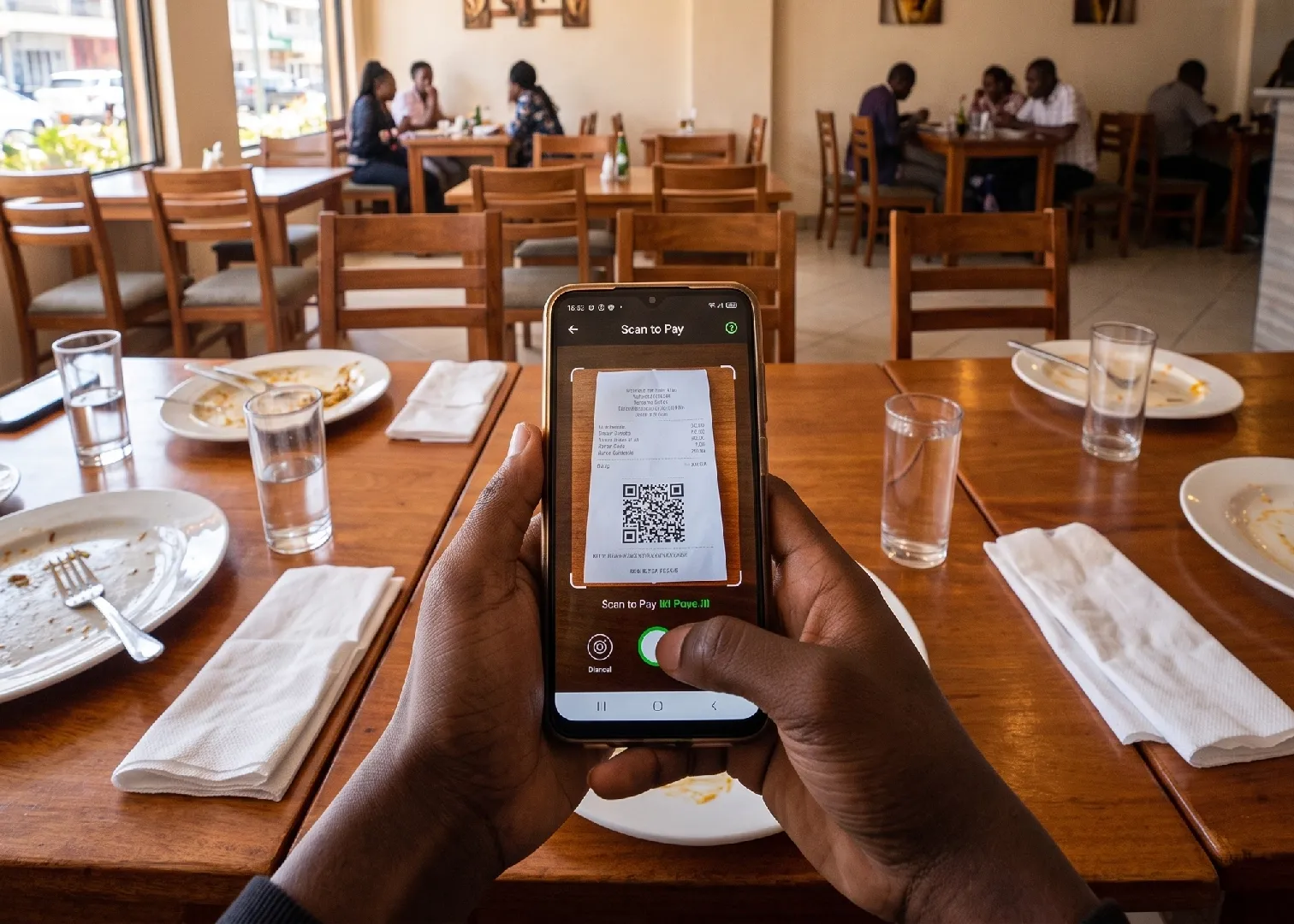
Snappier QR Code Payments: Safaricom rebuilt the code-scanning part of the app from scratch. The snazzy new version can spot merchant Lipa Na M-PESA QR codes faster, even when it's dark or the lighting isn't great, so you can zip through checkout a lot quicker.
-
Daima Service Integration: Now you can manage your post-pay mobile plan and your long-term data commitments in one easy swoop.
-
Home Internet Family Share: Finally, a super useful tool for people who have home fibre: main account holders can split, allocate, and manage data limits across up to six user names right from the main screen of the app.
Summary of My OneApp Progress: Launch vs. June 2026
| Feature Tracker | April 2026 Launch Version | June 2026 Patched Version (v5.1.9) |
| Data Cost | Deducts from your active bundle | Zero-Rated (Data-free once open) |
| Network Restriction | Requires pure Safaricom Data | Operates safely over Wi-Fi and alternative networks |
| Bank Transfers | Blind processing (No preview names) | Send to Bank Hakikisha Enabled |
| App Footprint | Heavy, frequent session timeouts | Optimized background caching |
The Verdict: While the initial April launch of My OneApp felt rushed and alienated a lot of users—especially roaming and diaspora customers—Safaricom's rapid patch cycle shows they are taking user feedback seriously. By treating accessibility as a core platform feature rather than a connectivity luxury, My OneApp is finally starting to look like the reliable digital gateway it was promised to be.