Ziidi Trader Explained: How to Buy and Sell NSE Shares Directly on M-Pesa
Safaricom, the Nairobi Securities Exchange (NSE), and Kestrel Capital have introduced Ziidi Trader, a new solution that allows Kenyans to trade shares directly through the M-Pesa app. The innovation is designed to make stock market investing faster and more accessible, especially for individual investors.
So, how exactly does it work? Let’s break it down.
What Is Ziidi Trader?
Ziidi Trader is a mini application within the M-Pesa app that enables users to buy and sell shares listed on the NSE. Instead of going through the traditional stockbroker process, investors can now trade directly from their mobile phones.
It taps into the existing M-Pesa ecosystem, simplifying what has traditionally been seen as a complicated process.
How Do You Sign Up?
Getting started is simple and paperless.
To join:
-
Open the M-Pesa app.
-
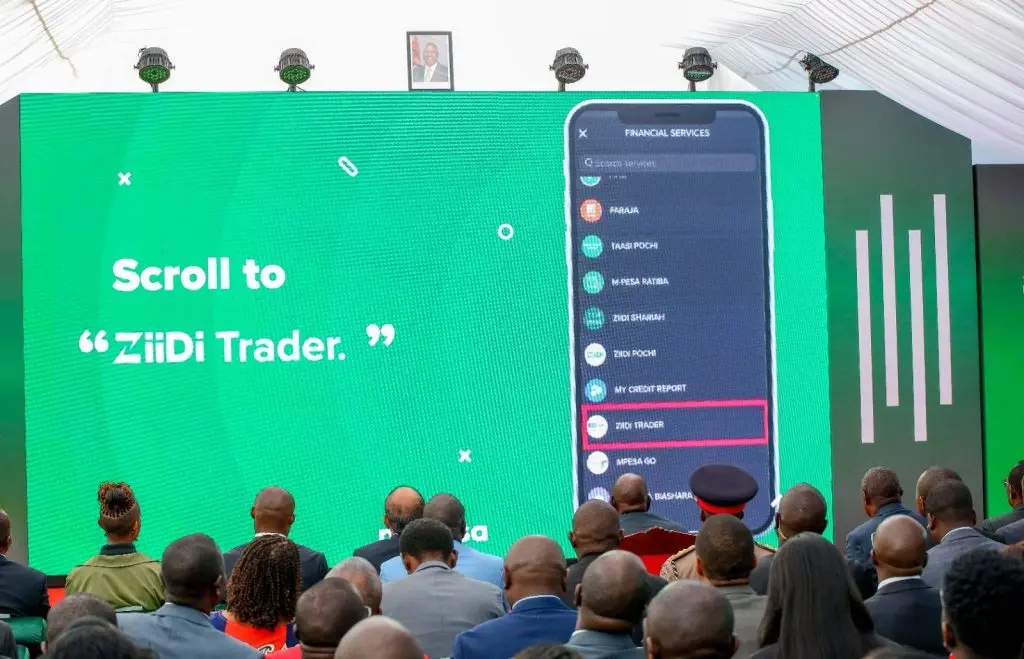
Go to the Financial Services tab.
-
Select Ziidi Trader and opt in.
-
Enter your M-Pesa PIN to activate.
-
Complete verification using a one-time password (OTP) sent by Safaricom.
There is no need to upload documents or fill out lengthy forms. The platform uses your existing M-Pesa Know Your Customer (KYC) details for registration.
What Can You Access on the Platform?
Once logged in, you can:
1. View the Market
See all companies listed on the NSE, including current share prices, company logos, brief descriptions, and recent performance updates.
2. Trade Shares
Under the trade tab, you can select a company and choose to buy or sell shares. You’ll also see trading volumes, bid prices, and ask prices to help guide your decision.
3. Track Your Portfolio
The portfolio section shows:
-
Total shares purchased
-
Current value of your holdings
-
Profit or loss position over time
It’s like having your own mini stock dashboard on your phone.
Is Ziidi Trader Available on USSD?
No. The service is only available via the M-Pesa smartphone app. Safaricom excluded USSD because share trading requires multiple data points and inputs, which would make the process too slow and complicated on feature phones.
The company is relying on the growing use of smartphones and 4G connectivity across Kenya.
Do You Own the Shares You Buy?
Yes, you do.
Although you don’t open a personal Central Depository System (CDS) account, your shares are recorded in an omnibus account managed by the broker, Kestrel Capital. A detailed ledger tracks individual ownership.
This means you are entitled to:
-
Dividends
-
Voting rights
-
Proof of share ownership
How Is It Different from a CDS Account?
The biggest difference is speed and convenience.
Opening a CDS account can take days or even weeks and requires submitting documents such as your ID, KRA PIN, bank details, and next-of-kin information.
With Ziidi Trader, registration takes just minutes because it uses your existing M-Pesa profile. Shares are held in a single broker-managed account instead of individual CDS accounts.
How Do You Pay for Shares?
There’s no need to transfer money separately.
When you buy shares, payment is deducted directly from your M-Pesa wallet. When you sell, proceeds are credited back to your wallet.
In the future, investors will also be able to use funds from the Ziidi Money Market Fund (MMF) within the same ecosystem.
Can You Set Your Own Prices?
Yes. You can choose your preferred buying (bid) price or selling (ask) price after viewing market activity.
If you’re unsure, the platform can automatically select the best available market price for you.
Can You Lose Money?
Yes. Like all stock market investments, shares carry risk.
If prices rise, you make a profit. If they fall, you incur a loss. Equities are considered moderate to high-risk assets, and price swings are normal.
Does the Platform Offer Investment Advice?
Currently, Ziidi Trader does not provide built-in investment advice. Investors are expected to conduct their own research before making decisions.
However, Safaricom has indicated that advisory tools and research features may be added in the future.