How to Refresh and Increase Your Safaricom Fuliza Limit (2026 Guide)
Safaricom has simplified the way users can request a review of their Fuliza M-PESA credit allocation. Instead of waiting for the traditional 90-day automated cycle, customers can now actively nudge the banking algorithm to check for a potential credit limit bump.
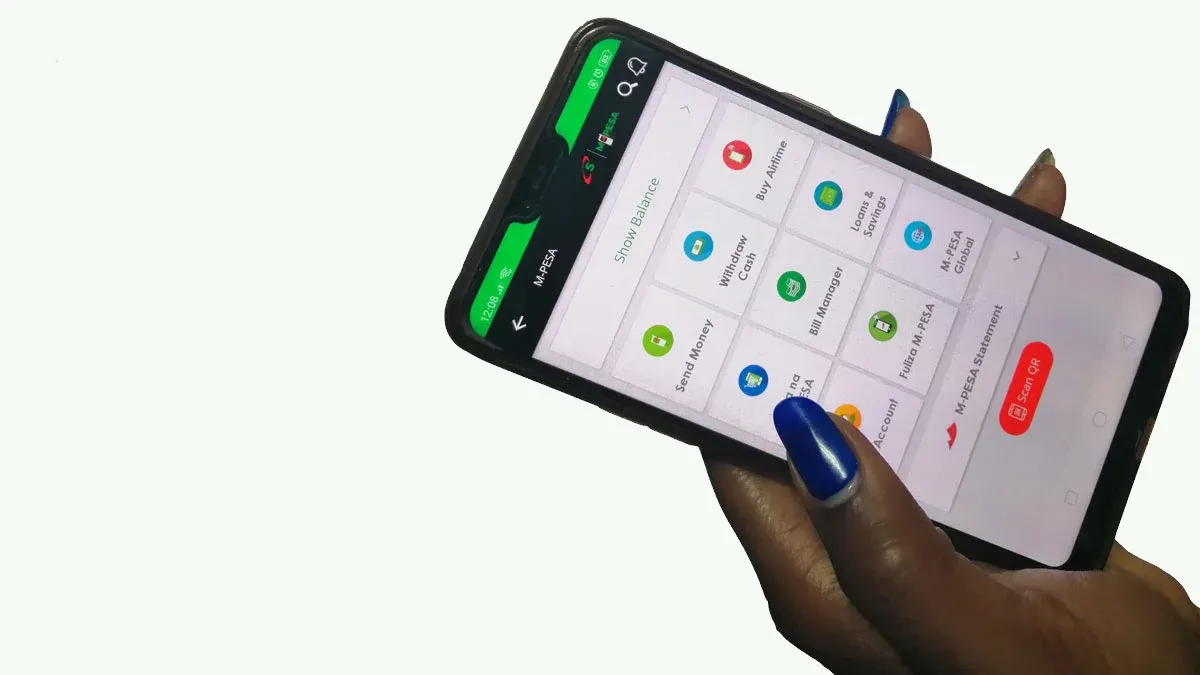
The prompt feature is accessible directly through the short-code network.
The Step-by-Step Guide to Refreshing Your Limit
To request an immediate limit review from Safaricom's banking partners, follow this sequence:
How the Algorithm Scores Your Limit
Simply pressing the refresh button does not guarantee an automated credit increase. Safaricom’s credit profiling matrix weighs several real-time factors to evaluate your risk score:
-
Frequency Over Volume: The system heavily favors how often you transact using Safaricom services, rather than just large single lump sums. Regularly utilizing Lipa Na M-PESA (Buy Goods/PayBill), buying data bundles, and sending money account for roughly 25% of your internal credit rating.
-
The Repayment Velocity: Because Fuliza automatically clears its outstanding balance the moment cash hits your digital wallet, keeping money flowing through your account without leaving a negative balance for extended periods signals high liquidity.
-
Wider Ecosystem Financials: The automated system cross-checks your background savings health across auxiliary Safaricom wallets, specifically analyzing the balances you maintain inside M-Shwari and KCB M-PESA accounts.
-
CRB Interoperability: Your Credit Reference Bureau status remains a major gatekeeper. If you have active defaults on external mobile lending applications or third-party bank loans, the system will flag the account, frequently freezing or dropping your Fuliza limit to its baseline.
New to Fuliza? How to Activate the Safety Net
If you are currently holding a brand-new Safaricom line or have never utilized the overdraft service before, you must manually opt-in before using the refresh shortcuts.
Eligibility Rule: Your Safaricom line must be active for a minimum of six months before the system can accumulate enough baseline transaction data to assign you an initial credit score.
To register, dial *234#, select the Fuliza M-PESA menu tab, and accept the standard statutory terms and conditions. Once successfully activated, your phone will receive a structural text confirmation displaying your starting credit limit, allowing you to gradually scale your financial ceiling through consistent usage.
Have you already tried dialing the new code to refresh your limit? Did the system approve a credit boost immediately, or are you currently working on cleaning up your credit bureau rating first?